.png&w=256&q=75)

Port Scanner &NetworkRecon
Continuous offensive security and exposure management for web applications, networks, APIs, and cloud infrastructure.
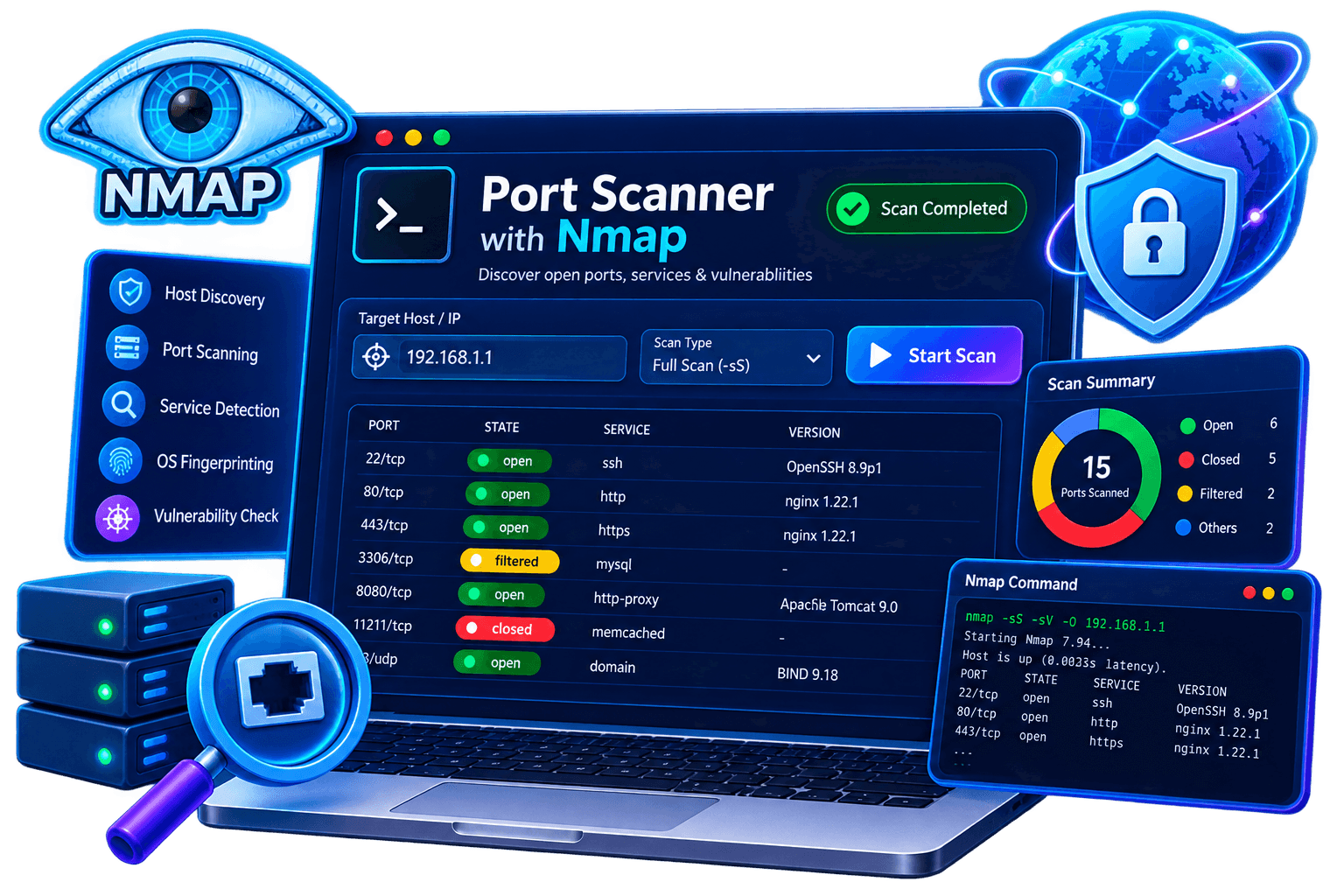
12+
Profiles tested daily
800+
Curated checks
99.1%
Uptime SLA
< 2s
Avg. first hit
50K+
Security teams
SOC 2 II
Certified
Map every open port with TCP SYN stealth scanning
SYN scan (-sS) sends a SYN packet and listens for SYN-ACK without completing the handshake making it the fastest, stealthiest method. We scan all 65,535 TCP ports, deduplicate results, and filter noise automatically.
Find exposed services with
exact version fingerprints
Every open port is probed for its service and version so you see MySQL 8.0.32 on 3306, not just "port open." Risk-rate by service type and version to prioritize remediation immediately.
Every Nmap technique, One Platform
Our scanner probes every dimension of your network infrastructure using purpose-built checks for discovery, detection, and fingerprinting.
TCP SYN Scan
High-speed SYN probing for exposed services across any target range.
UDP Port Scan
Detect common UDP services with retries, timing control, and normalization.
Service Detection
Banner grab and version detection for each exposed service.
OS Fingerprinting
Infer host operating systems through TCP/IP stack responses and heuristics.
NSE Script Engine
Run targeted scripts for metadata collection and exposure validation.
Firewall Detection
Recognize filtered ports, drops, and network perimeter behavior.
Banner Grabbing
Capture raw service banners and prioritize what matters most.
Host Discovery
Identify live systems, latency, and reachable hosts across the asset set.
SYN + service + OS in one pass
A single NmapScan run executes SYN stealth scan, service version detection (-sV), OS fingerprinting (-O), and default NSE scripts (-sC) in a single coordinated workflow no manual chaining of commands.
Open vs. filtered vs. closed all three states
NmapScan distinguishes all three TCP port states: OPEN (service listening), CLOSED (port reachable, no service), and FILTERED (firewall silently dropping packets). Each state maps to a different security implication.
CVE-linked NSE findings with remediation
High-risk NSE findings are cross-referenced against CVE databases and presented with direct remediation steps from patch version numbers to specific firewall rules to disable the vulnerable service.
Trust Your Scan.
Validate Every Port
Every result in your report is confirmed with at least one probe, service-fingerprinted if open, and risk-classified against known service exposure patterns. No guesswork just evidence.
See it in actionSample
Port
Scan
Report
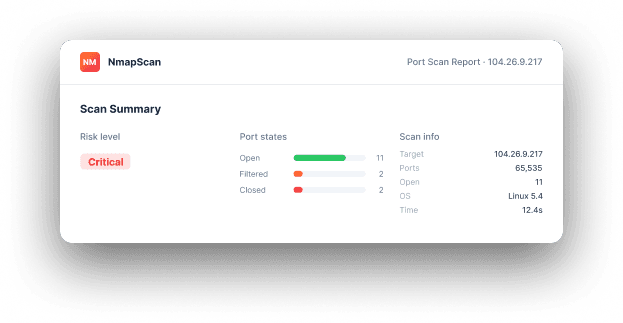
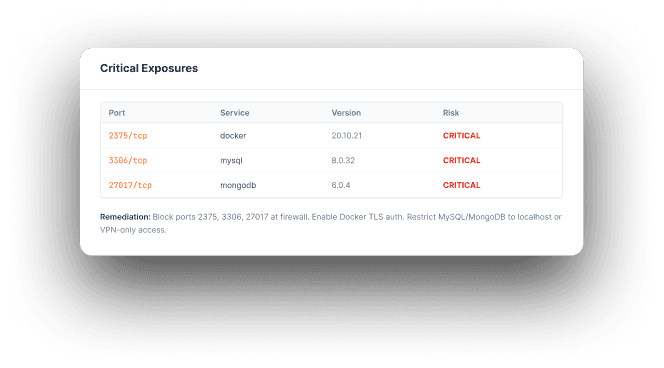
This sample report shows what you receive after every scan: discovered ports, detected services, risk classification, and remediation guidance.
Download sample reportAn at-a-glance summary of total ports, detected services, risk distribution, and critical internet-exposed assets.
From target to report - fully automated
Enter Target
Provide an IP, subnet, or hostname to begin the scan.
Host Discovery
Discover live hosts and identify reachable targets.
SYN Port Scan
Run stealth scans across chosen ranges with timing control.
Service & OS
Classify services and infer the operating system.
NSE Report
Export findings and generate a shareable scan report.
Use this tool from your command line interface
If you prefer it, we also provide a CLI version of our Website Vulnerability Scanner. Through the ScanCore CLI, you can run scans against your web apps and start gathering insights for your next move.
1. Installation
If you have docker or pip installed, you can use them to get scancore:
2. Usage
Quickstart: run the following command in your terminal to find the vulnerabilities of your website.
You can learn more options with the --help flag:
Frequently asked questions
Everything you need to know before your first scan.
Yes. Scans are non-destructive and rate-limited by default, and any payload that could have side effects runs through sandboxed proof-of-concept validation instead of against your live system, so normal traffic and uptime are unaffected.