.png&w=256&q=75)
Web Application Pentest Toolkit
Find unpatched web app weaknesses fast with one complete pentest toolkit
CyberScan brings the tools you need for web application testing into a single workspace, so you can spot real risk early, confirm it, and report it without juggling ten different apps.
Confirm what matters: Validate high-impact issues in popular software with safe, automated exploit checks.
Test your way: Use ready-made scanners or add your own proprietary scripts and workflows.
Stay authenticated: Scan behind login pages and complex user flows without manual setup every time.
Keep watching: Monitor assets on a schedule and get alerted when something new shows up.
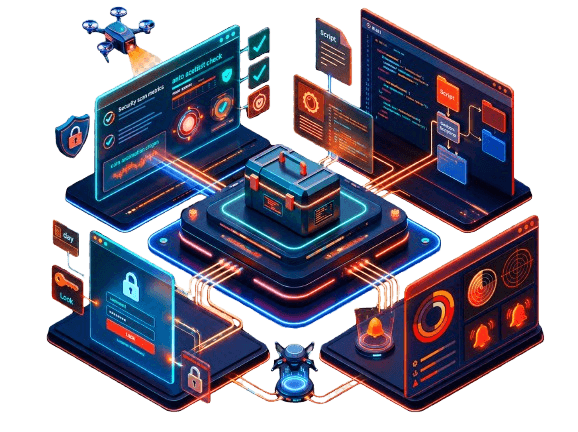
Product Tour
Watch the demo
See how a full web app assessment comes together in a few minutes, from discovery to final report.
Next-level web app pentesting
Built for Practitioners
Discover what matters on your very first run
Run a first assessment and immediately see where your biggest exposures are.
One toolkit for the whole workflow
Move from discovery to exploitation checks to reporting without switching platforms or copying results between tools.
Smart, affordable coverage
Combine several testing steps into one subscription and keep your findings, evidence and history in a single place.
Accurate and always up to date
Detection logic is refreshed regularly using ongoing research, so new CVEs and misconfigurations are covered quickly, with fewer false alarms to sift through.
Black box and gray box testing
Test from an outsider's view or with credentials, depending on how deep you want to go, then compare what each approach reveals.
One Connected Workflow
Support at every stage of your web app pentest
From the first reconnaissance step to the final report, CyberScan covers each phase of an engagement. Here is how the toolkit maps to your process.
01
Get recon insights faster with automated discovery
Start by learning what you are dealing with. Identify the technologies, frameworks, subdomains, open ports and hidden entry points that make up the target, so your testing is focused from the start. Combine several discovery steps and let the results feed the next one automatically.
- Map the full exposed surface
- Fingerprint technology automatically
- Feed discoveries into deeper tests
Network Vulnerability Scanner
Website Vulnerability Scanner
Search-Engine Dorking
URL Fuzzer
WAF Detector
Subdomain Finder
Port Scanner
People Finder
02
Scale vulnerability discovery with comprehensive tests
Check for the most common web weaknesses such as injection flaws, broken access control, outdated components and insecure configuration. Run light scans for quick wins or deeper scans when you need more depth, and test APIs alongside regular web pages.
- Choose light or deep testing
- Cover web, network and API layers
- Review evidence in one workspace
Website Vulnerability Scanner
Network Vulnerability Scanner
API Scanner
03
Exploit and validate the highest-risk findings
Prove that a suspected weakness is truly exploitable using safe, controlled checks. You get clear evidence, so your team can prioritize fixes based on real impact instead of guesswork.
- Confirm impact safely
- Capture clear proof
- Prioritize verified risk
SSTI Exploiter
XSS Exploiter
04
Report and monitor with confidence
Turn verified findings into consistent, evidence-based reports for your team and clients. Keep watching your assets on a schedule and get alerted when something new shows up.
- Share clear, structured reports
- Monitor assets on a schedule
- Get alerted to new exposure
Report Generator
Scheduled Monitoring
Change Alerts
Transparent Performance
Web app vulnerability scanning with high accuracy
We test our scanners against known, vulnerable targets so you can see how they perform in practice. The numbers below are illustrative placeholders.
01 / Web
Website vulnerability scanners benchmark
We compare several scanners on a set of intentionally vulnerable web apps and count how many real issues each one detects.
Detection across both test targets
Scanner A
Scanner B
Scanner C
Scanner D
Scanner E
Scanner F
True positive count (higher is better)
02 / Network
Network vulnerability scanners benchmark
We run the same kind of comparison on network-level targets built from known vulnerable environments, and measure how many issues each scanner finds.
Benchmark results against all vulnerable environments
A
Scanner
B
Scanner
C
Scanner
D
Scanner
E
Scanner
F
Scanner
Illustrative data
Benchmark results against remotely detectable vulnerabilities
A
Scanner
B
Scanner
C
Scanner
D
Scanner
E
Scanner
F
Scanner
Illustrative data
Customer Stories
How customers use CyberScan for web app pentesting
Overall a great tool for pentesting
The tool covers a lot of ground in one place. We use it to speed up the repetitive parts of our assessments and to deliver cleaner reports to our clients. It has become part of our standard workflow.
Alex Morgan - Security Consultant
Review source placeholder
Frequently asked questions
Everything you need to know before your first scan.
Yes. Scans are non-destructive and rate-limited by default, and any payload that could have side effects runs through sandboxed proof-of-concept validation instead of against your live system, so normal traffic and uptime are unaffected.